ContextRelay
VS CodeからMicrosoft 365 Copilotを呼び出す拡張機能A VS Code extension that brings Microsoft 365 Copilot into VS Code
設計やコーディングをしながら、サイドパネルで Microsoft 365 の関連コンテキストを参照できる VS Code 拡張機能です。重要なスニペットをピン留めし、タイムスタンプ付きの引き継ぎドキュメントを生成すれば、GitHub Copilot がすぐに作業を引き継げます。Surfaces Microsoft 365 context in a side panel while you design and code. Pin snippets from search results and generate handoff documents for GitHub Copilot.
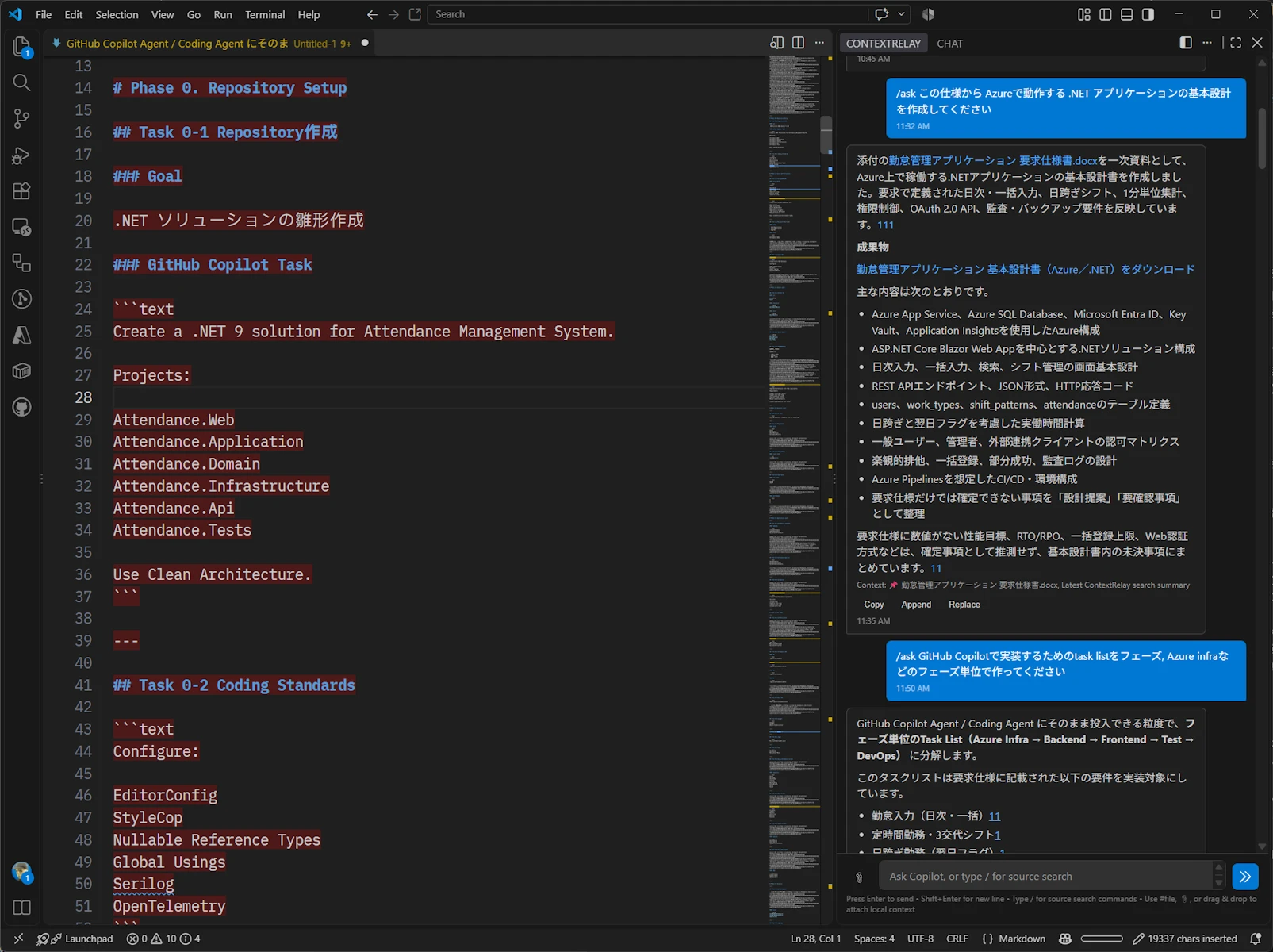
主な機能Features
Copilot チャット(スラッシュコマンドなし)Chat with Microsoft 365 Copilot
スラッシュコマンドを付けずに入力すると、パネル内で Microsoft 365 Copilot と直接チャットできます。ピン留めスニペットと添付ファイルは自動的にグラウンディングコンテキストとして付与され、応答は逐次描画されます。Type without a slash command to chat with Copilot in the panel. Pinned snippets and attached files are sent as grounding context automatically, and replies stream in.
スラッシュコマンドによるソース指定Search sources with slash commands
/mail、/teams、/sharepoint、/onedrive、/onenote、/task、/all で、Exchange メール、Teams メッセージ、SharePoint、OneDrive、OneNote、Planner タスクを検索できます。/mail, /teams, /sharepoint, /onedrive, /onenote, /task and /all search Exchange, Teams, SharePoint, OneDrive, OneNote and Planner.
ローカルファイルの添付Attach workspace files
ワークスペース内のファイルを、# メンション、📎 ボタン、ドラッグ&ドロップで添付できます。ファイルの内容は Copilot にグラウンディングコンテキストとして送信されます。Attach local files with # mentions, the 📎 button, or drag and drop to ground Copilot's answers.
タイムスタンプ付き引き継ぎドキュメントGenerate handoff documents
PLAN.md / TASKS.md / TEST_PLAN.md / HANDOFF.md を生成します。Copilot が継続作業のために解析しやすい構造化フォーマットに従います。Generates timestamped PLAN.md, TASKS.md, TEST_PLAN.md and HANDOFF.md so GitHub Copilot can pick up the work quickly.
Work IQ への問い合わせQuery Work IQ
/workiq で、A2A(Agent-to-Agent)v1.0 プロトコル経由で Work IQ Gateway に自然言語クエリを送信できます。/workiq sends natural-language queries to Work IQ over the A2A protocol.
インストール手順Installation
- 拡張機能(Ctrl+Shift+X)を開き、ContextRelay を検索してインストールOpen Extensions (Ctrl+Shift+X), search for "ContextRelay" and install
- Microsoft Entra アプリ登録を作成し、VS Code の設定に値を追加Register an app in Microsoft Entra ID and add its client ID to your settings
"contextRelay.auth.clientId": "<application-client-id>", "contextRelay.auth.tenantId": "organizations" - アクティビティバーの ContextRelay アイコンをクリックするか、コマンドパレットから実行Open the panel from the Activity Bar icon or the Command Palette
ContextRelay: Open Panel
更新履歴Changelog
リリースごとの変更内容は GitHub Releases に掲載しています。Release notes for each version are on GitHub Releases. Releases ↗