ContextRelay for VS
Visual StudioからMicrosoft 365 Copilotを呼び出す拡張機能A Visual Studio extension that brings Microsoft 365 Copilot into Visual Studio
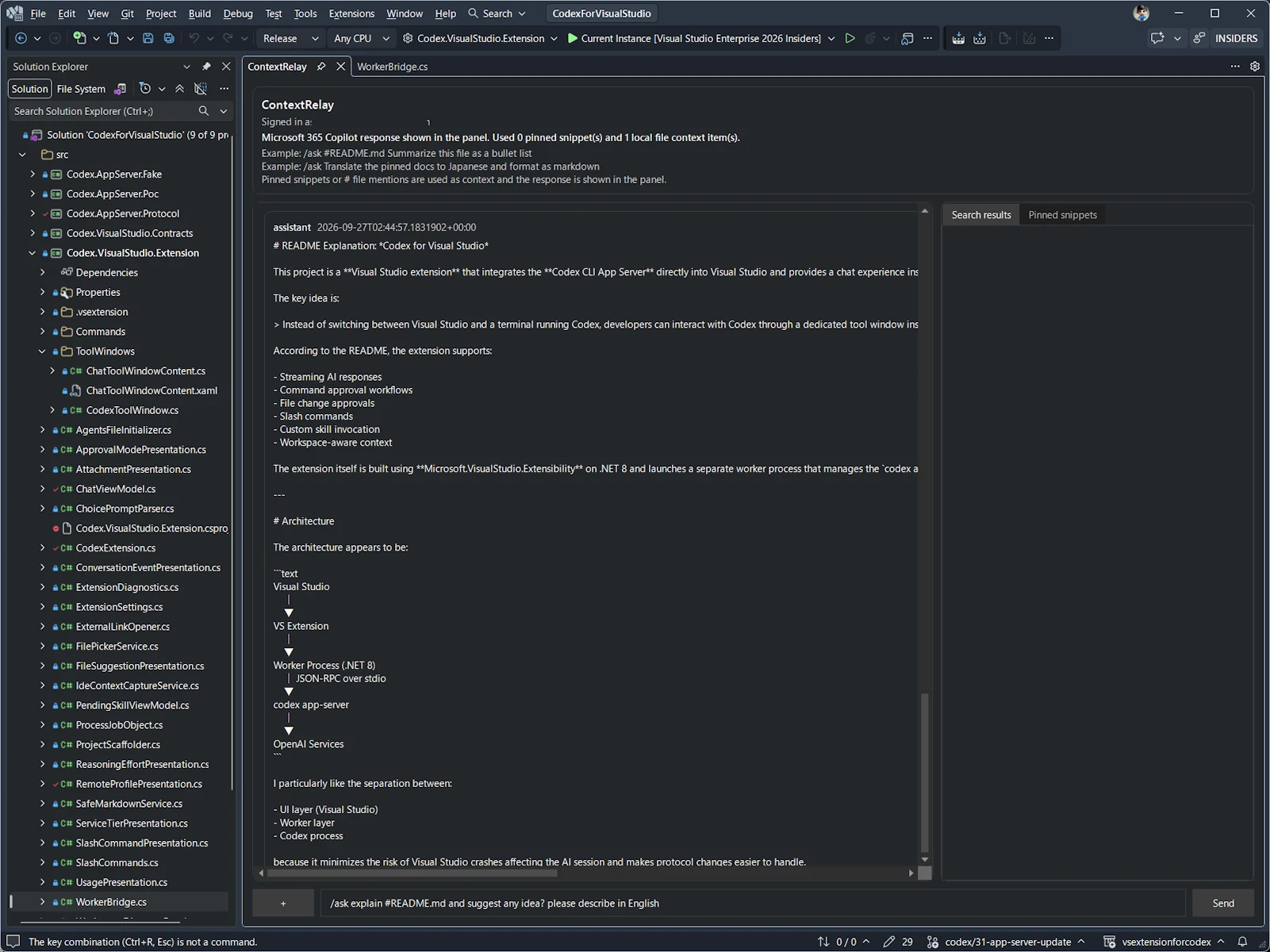
Visual Studio (2022 / 2026) 上で Microsoft 365 のコンテキストをツールウィンドウに表示する拡張機能です。VS Code 版 ContextRelay の機能仕様を Visual Studio に移植し、同一マシン上の VS Code 版とスニペット・チャット履歴・ハンドオフ文書パスを共有できます。Ports the ContextRelay feature set to a Visual Studio 2022 / 2026 tool window. Shares pinned snippets, chat history and handoff documents with the VS Code version on the same machine.
主な機能Features
通常の Copilot チャットChat with Microsoft 365 Copilot
スラッシュコマンドなしの入力で Microsoft 365 Copilot の会話を開始・継続します。応答はコピー、アクティブエディターへの追記、選択範囲の置換ができます。Plain input starts or continues a Copilot conversation. Replies stream in and can be copied, appended to the editor, or used to replace a selection.
スラッシュコマンドによるソース指定Search sources with slash commands
Exchange Mail、Teams、SharePoint、OneDrive などを Microsoft Graph 経由で検索します。/ 入力時にキーボード操作対応の候補ポップアップが表示されます。Search Exchange, Teams, SharePoint, OneDrive, OneNote, Planner/To Do and connectors, with a suggestion popup as you type.
クロスエディタセッション共有Shared sessions with VS Code
VS Code 版とスニペット、チャット/検索履歴、ハンドオフ文書インデックスを共有します。Snippets, chat history and handoff pointers are shared with the VS Code extension.
VS のテーマに自動追従Follows the Visual Studio theme
WPF で実装し、VS のテーマ(ダーク / ライト / Blue)に自動追従します。英語/日本語の UI 文言を備えています。Native WPF UI that follows Dark / Light / Blue themes, localized in English and Japanese.
インストール手順Installation
- リポジトリをクローンしてビルドClone the repository and build
dotnet build ContextRelayVS.sln -v minimal - 生成される VSIX をダブルクリックしてインストールDouble-click the generated VSIX to install
src\ContextRelay.VSExtension\bin\<Configuration>\net8.0-windows10.0.22621.0\ContextRelay.VSExtension.vsix - Microsoft Entra アプリ登録(パブリック クライアント フローを有効化)を用意し、ツールウィンドウからサインインPrepare a Microsoft Entra ID app registration and sign in from the tool window
更新履歴Changelog
リリースごとの変更内容は GitHub Releases に掲載しています。Release notes for each version are on GitHub Releases. Releases ↗